the product plan
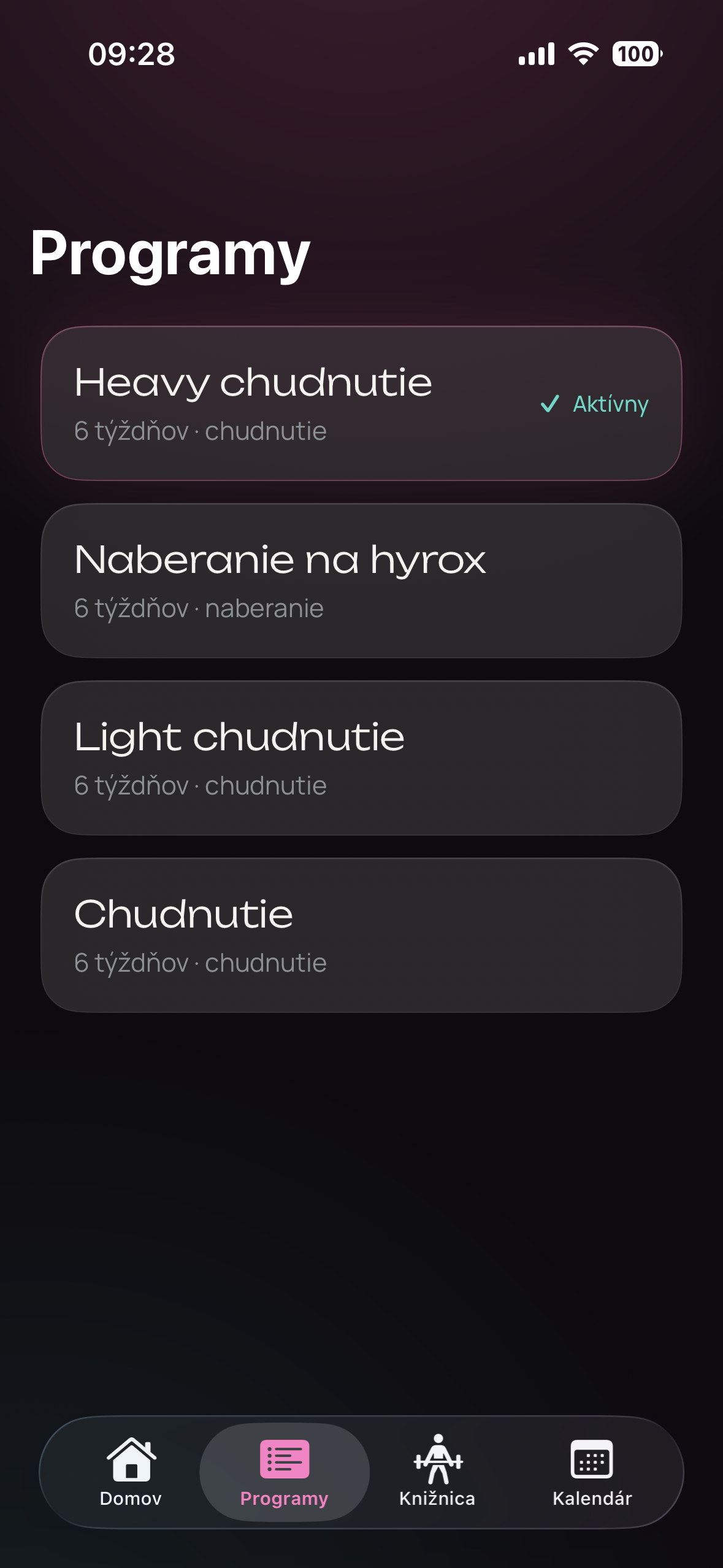
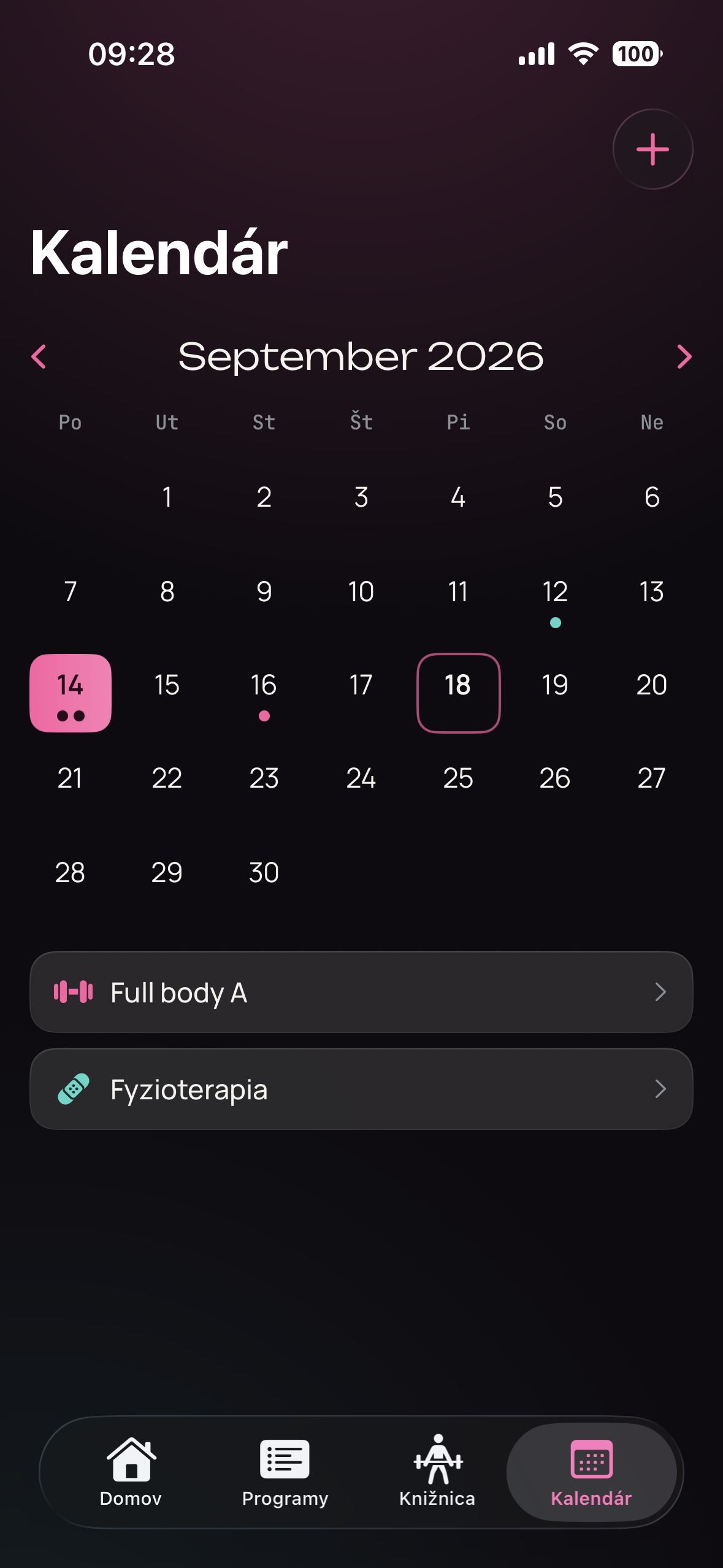
Before any code, I set the goal: log every set of every workout with as few taps as possible, fully offline. I scoped an MVP (program setup, an exercise library and the live workout) and moved everything else to later phases: a rest timer, workout history, data export and a review of progress against each program's goal. The app can also log other activities, like a run, a hike or a round of golf. I worked out the data structure next, and only then designed the screens.
the product decision
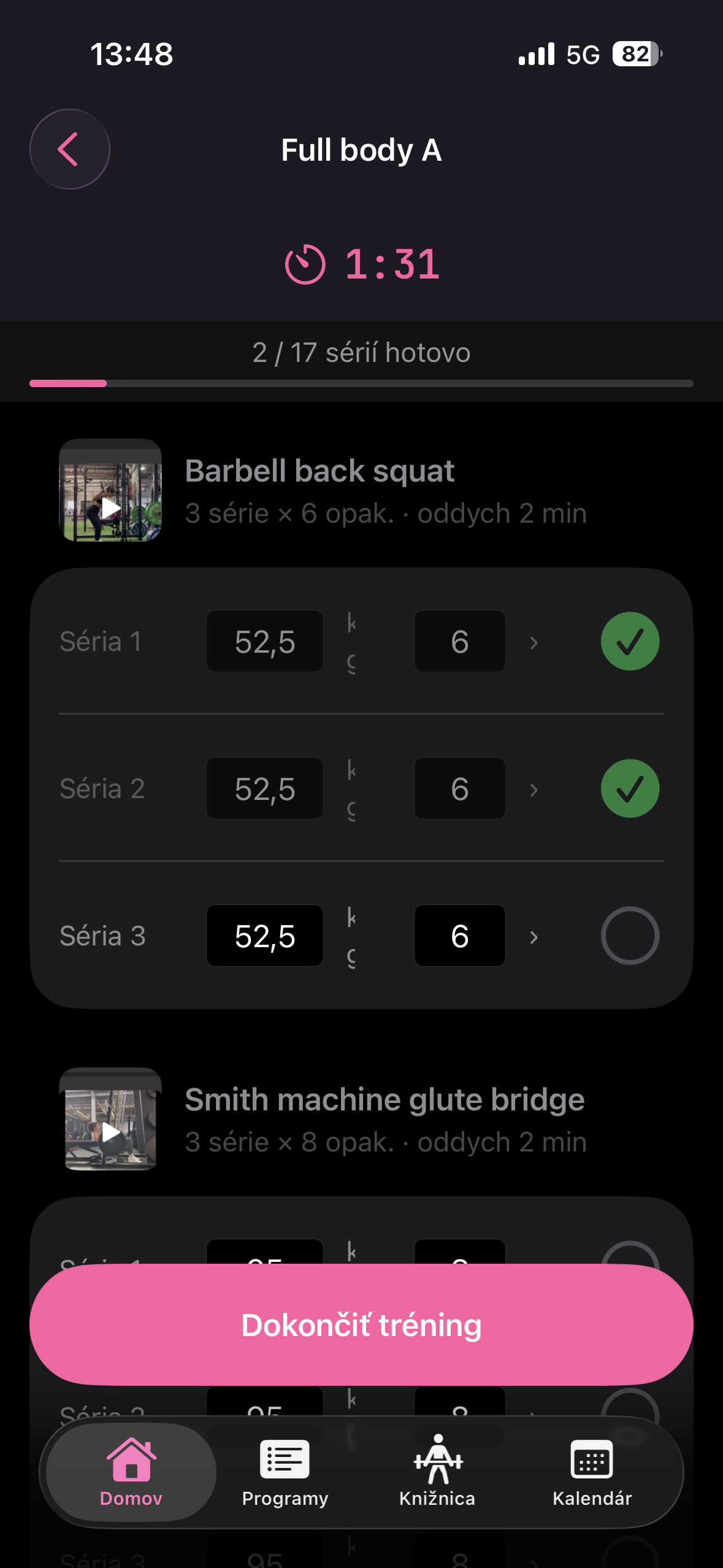
If the leg press machine is taken and I do hack squats instead, the app logs the hack squats and leaves my plan alone.
My program says what I should do that day: which exercises, how many sets and reps, which starting weights. A workout records what I actually did. The app keeps those two apart on purpose, so swapping an exercise mid-workout doesn't change my plan and doesn't get lost. The whole data model is built around this.
designed for the gym floor
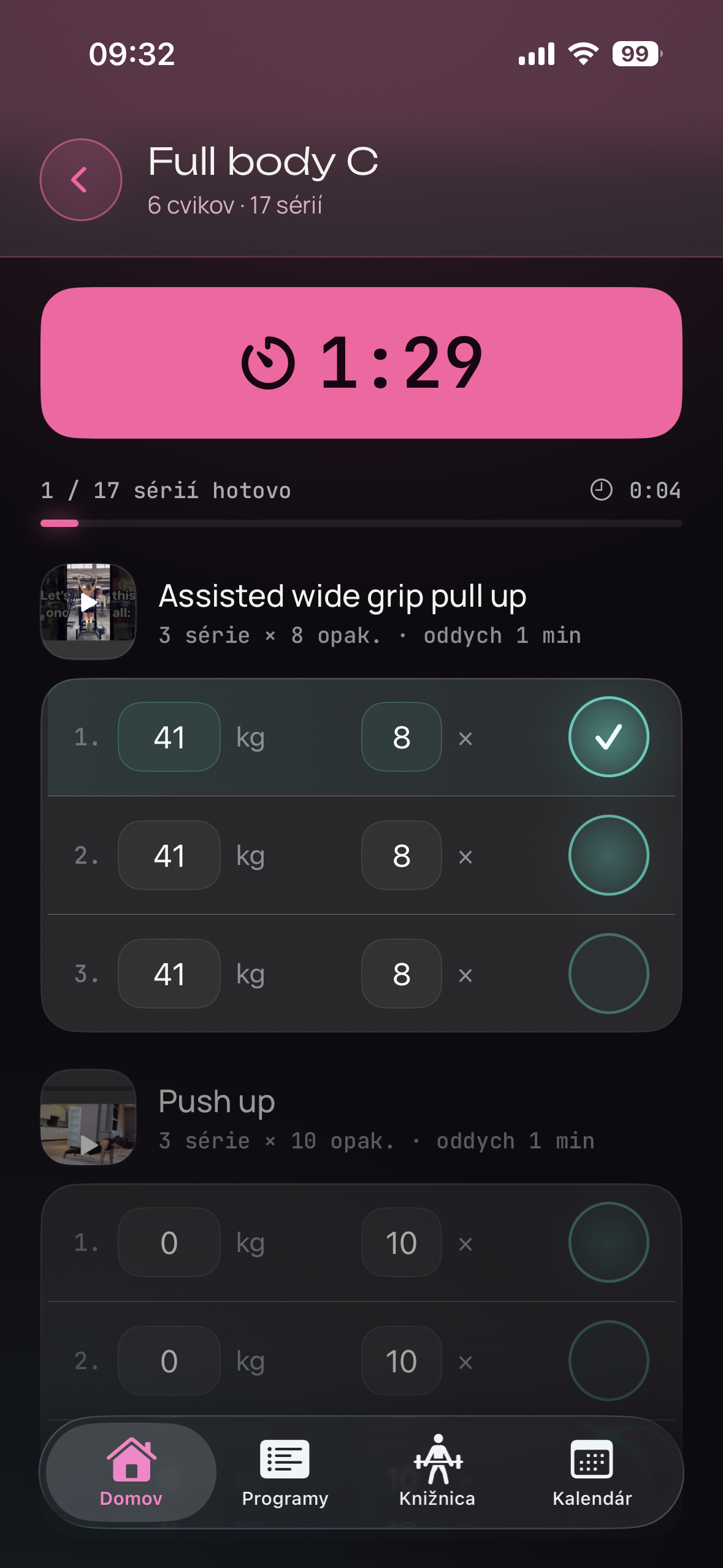
I set the interface rules by using the app mid-set: large touch targets, one-handed use, as few taps as possible to log a set, and text readable at a glance. Every set is pre-filled from the last time I did that exercise, so logging a normal set is a single tap, not data entry. Ending a workout requires a confirmation - a stray tap mid-set shouldn't be able to erase 45 minutes of logged training.
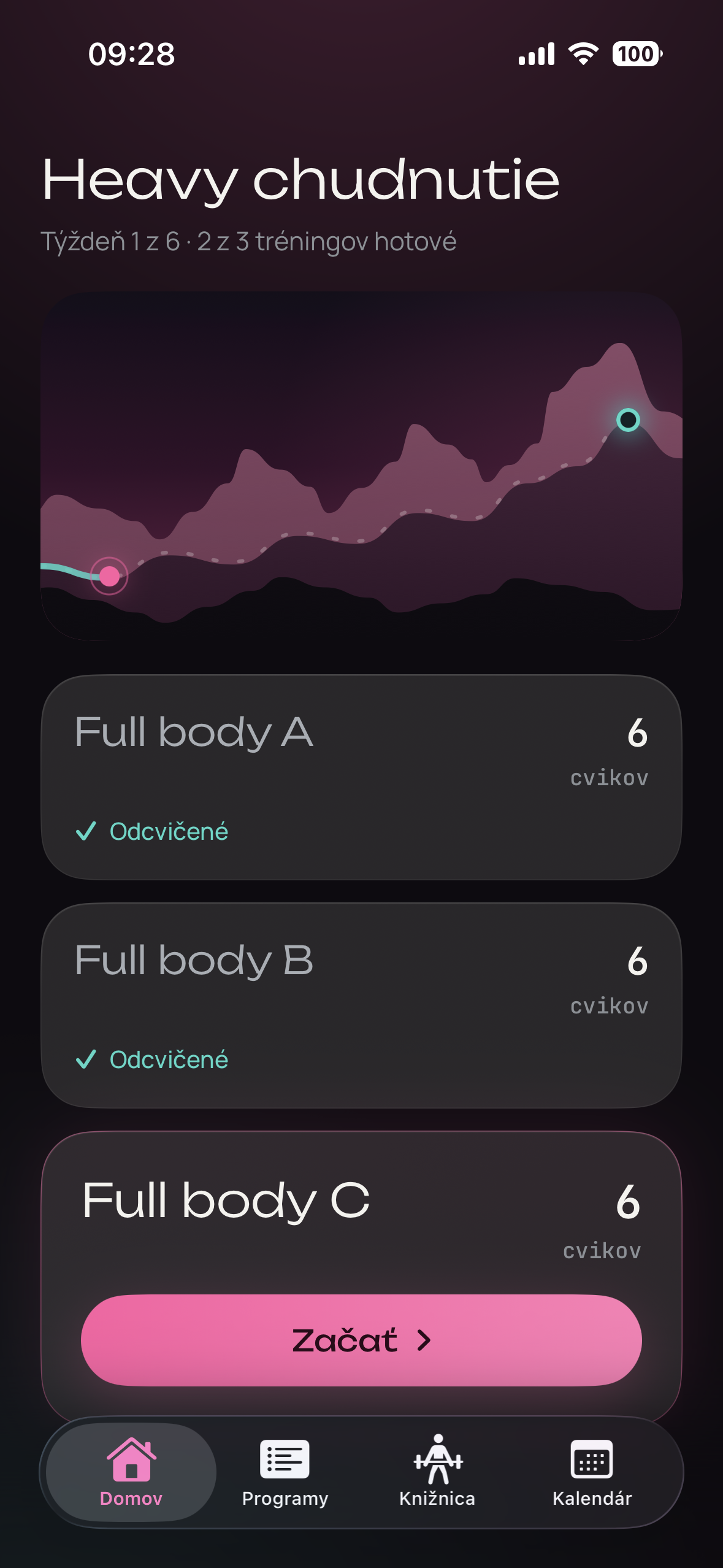
Later I redesigned every screen in a "liquid glass" style, with bigger touch targets, softer surfaces and less to read mid-set. I designed the screens in Claude Design and carried them straight into the code, so design and development ran as one continuous process rather than two separate handoffs. I then fine-tuned the details directly in the running app.
Read the detailsHide the details
how I worked
I always planned before any code was written. Each feature was one change and one commit, with a plain-language summary of what changed and why.
the design pass that got redone three times
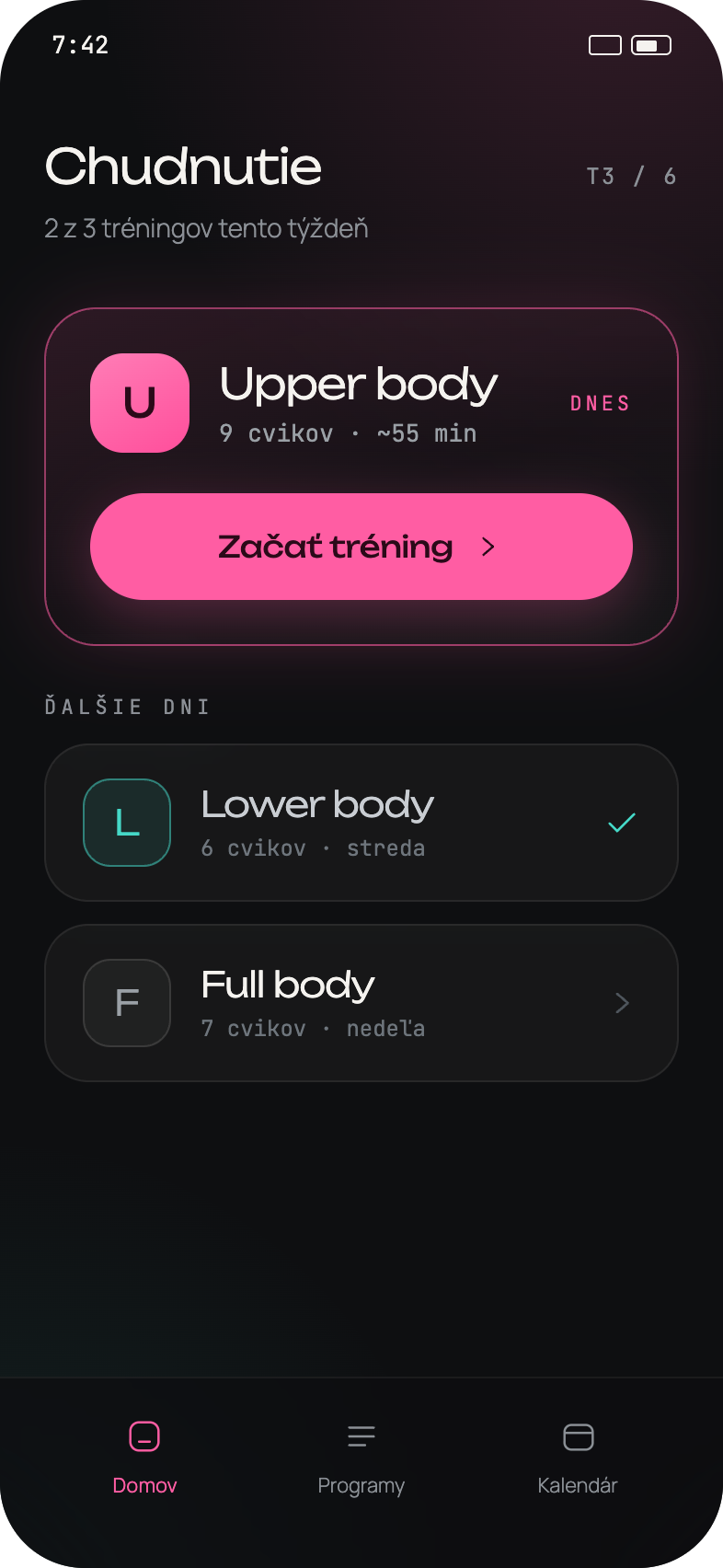
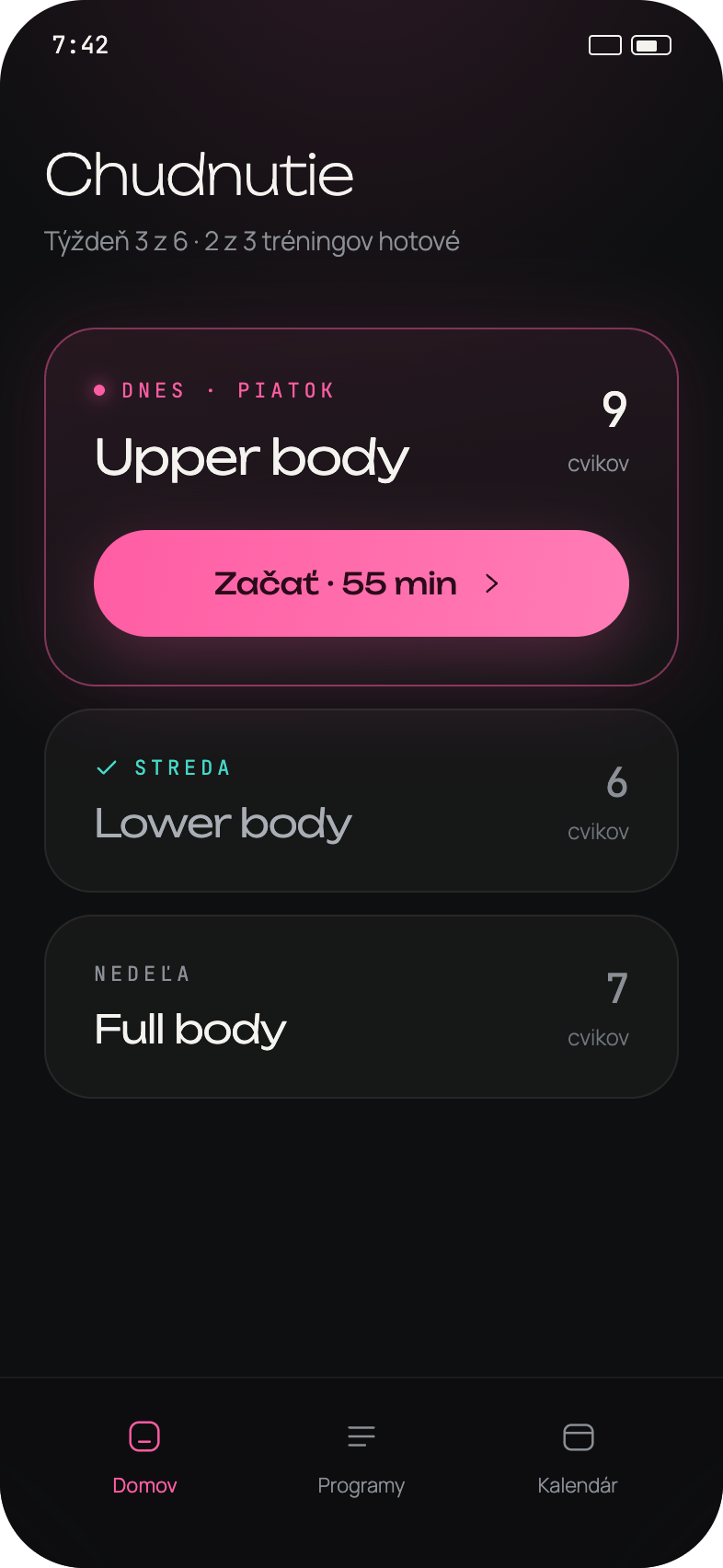
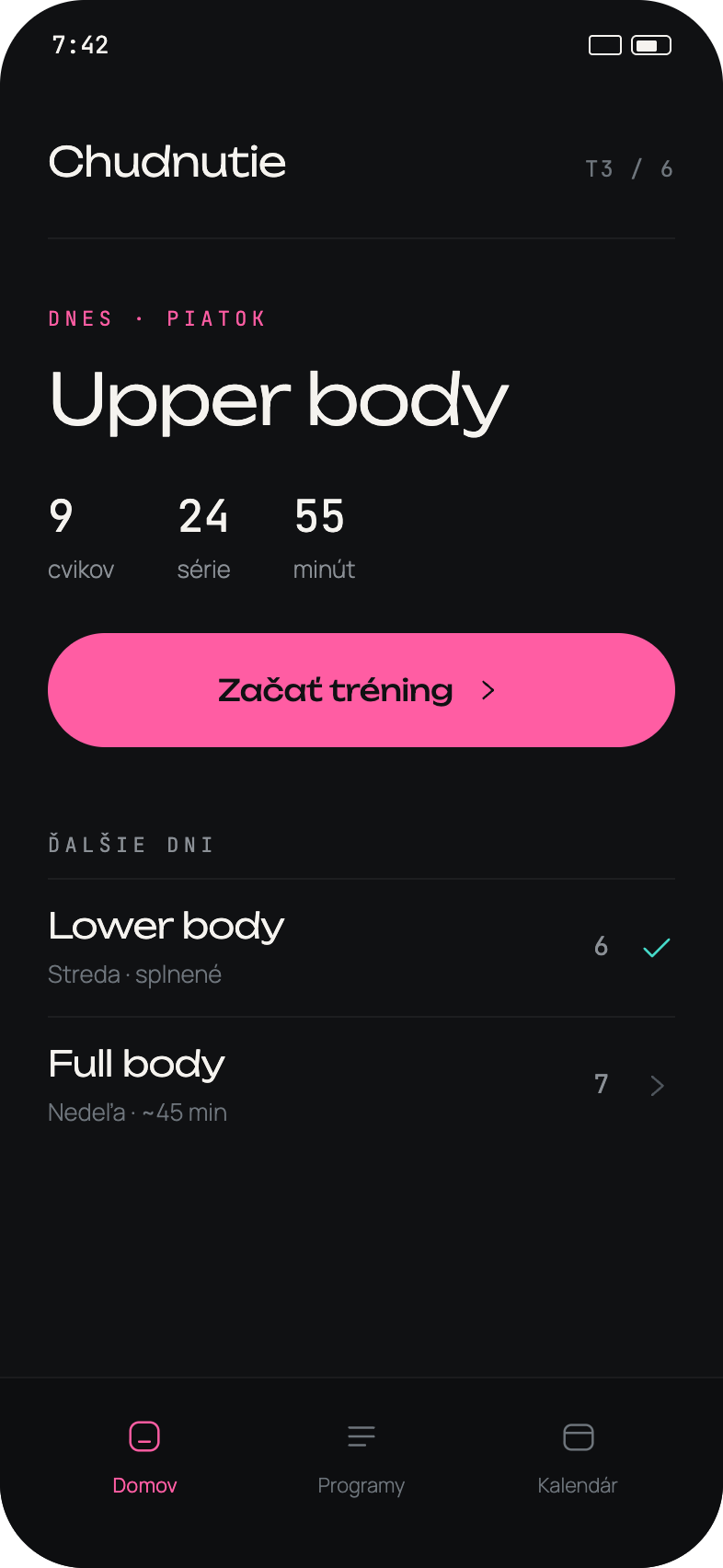
The home screen went through more visual experimentation than anything else in the app - not a straight line of shipped iterations, more like trying out different directions to see what would actually hold up: a bordered card highlighting today's workout, inline stats with a day badge, a flatter layout with bigger type and no border at all. I worked like an art director, briefing each direction, comparing them side by side and choosing the one that looked and felt right before it was built.
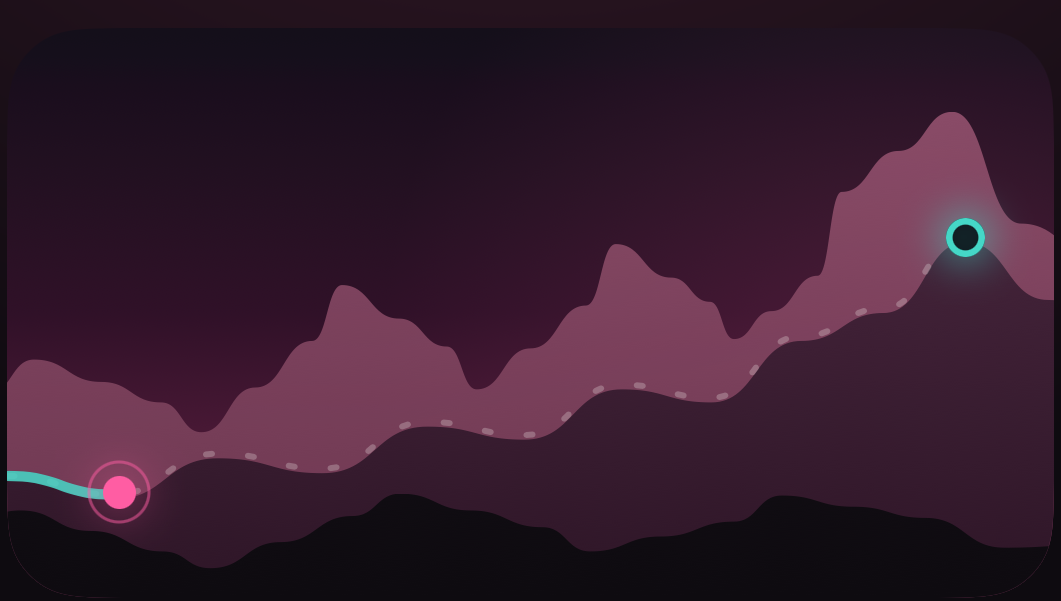
The home screen's progress view got its own pass too: a small gamification touch, a panoramic hike that fills in as the training block progresses, so I can see at a glance which week I'm in and how many sessions I've already banked.
what's next
The core is in daily use and still being tuned as real workouts surface edge cases the spec didn't anticipate. Still ahead are the later waves: data export, a review of progress against each program's goal, iCloud backup and a rest timer on the lock screen.